

NourSoliman
-
Posts
5 -
Joined
-
Last visited
Content Type
Profiles
Forums
Downloads
Store
Everything posted by NourSoliman
-
 yea guys I fixed this a few days ago the solution is in c3.wdb decrypt it then replace the 3Dmotion file inside with old client file or add the missing fly/mining info there then encrypt again that solved my issue alhamdulillah
 -
I unhooked all DLLs/hooks and tested but the issue is still the same someone told me it might be related to the C3 files in the 6609 client
-
Hi everyone, I am working with client version 6609 and running into a couple of visual animation/effect issues: Archer Fly: The flying state/status applies correctly (the character floats and moves) but the glide visual effect does not show up. Mining: The mining action functions perfectly (ores are gathered) but the character's pickaxe swinging animation does not trigger. I've verified that the .c3 motion files exist in the client, but the triggers seem to be missing. Could anyone point me in the right direction on where these animations and visual effect triggers are handled in client 6609? Are these mapped in 3dmotion.dbc / weaponmotion.dbc or is there a specific configuration in 3DEffect.ini / 3DObjProp.ini that I need to look at for 6609? Thanks in advance!

-
[Source 6609] How to change the default active tab in Forging UI
NourSoliman replied to NourSoliman's topic in Conquer Online
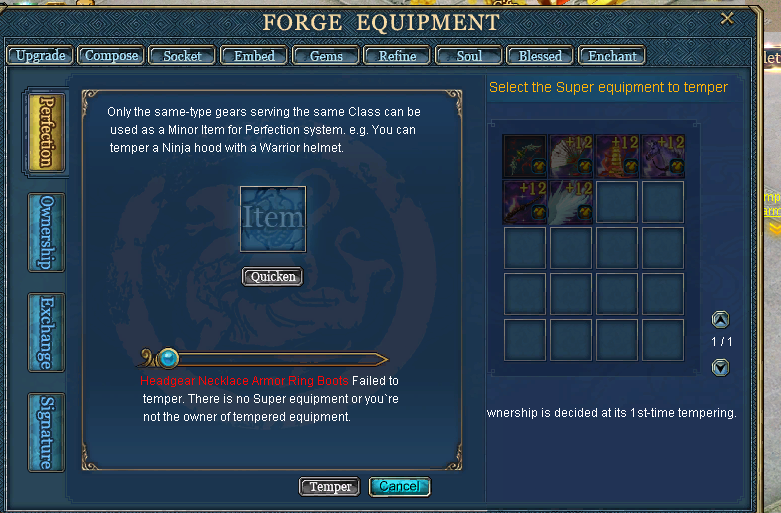
Hey everyone, Thanks for the answers and for trying to help I really like the community here and I'm glad to be part of it. Alhamdulilah i figured this out through reverse engineering the client binary. The key function is sub_48A2B2 which is the tab switcher It takes a tab ID and maps it through sub_48932E 2017 ==> Upgrade 2018 ==> Compose 2026 ==> Perfection (the default) The fix is a simple MinHook on sub_48A2B2 that intercepts when the window opens with Perfection (2026) and redirects it to Compose (2018) leaving all other tab clicks unaffected. Hope this helps! [Conquer] King-Dragon-Warrior 2026-05-02 11-17-30.mp4 -
Hi everyone, I'm working on a Conquer Online 6609 source and I'm trying to customize the Forging UI I have already removed the Perfection button from the UI but the window still defaults to the Perfection tab I've been digging through the client binary and found some logic in dlgequappend.cpp and sub_4879D8, but I'm looking for the specific part that sets the default tabIndex or ActionID when the window initializes Does anyone have a hint on where the client hardcodes the default tab for the Forge window? Or is there a way to force it to the Compose tab via memory patch/hook? Any hints would be greatly appreciated!